> ## Documentation Index
> Fetch the complete documentation index at: https://docs.getclave.com/llms.txt
> Use this file to discover all available pages before exploring further.
# Contribution Guidelines
> If you want to contribute to Clave Documentation by fixing typos or translating the Docs to your native language, you can follow this guide.
Clave uses Mintlify to create documentation. To contribute to Clave, you should start by installing Mintlify first.
Prerequisite: Please install [Node.js](https://nodejs.org/en) version 19 or higher before proceeding.
Follow these steps to install and run Mintlify on your operating system:
### Install Mintlify
`npm i -g mintlify`
### Modifying an Existing Translation
If you want to modify (fixing typos, enhancing the wording etc.) an existing translation
1. **Fork the Project**
Make a fork of the [clave-docs project](https://github.com/getclave/clave-docs) and create your branches from the default main branch.
If your PR is still a work in progress, consider putting it into a Draft status. Once your PR is ready for review, switch it back to an active PR request, and any reviewers already attached will automatically get a notification.
2. And start modifying the texts in the MDX files. Please follow PR Rules to Open a PR.
### Adding a New Language
1. **Fork the Project**
Make a fork of the [clave-docs project](https://github.com/getclave/clave-docs) and create your branches from the default main branch.
If your PR is still a work in progress, consider putting it into a Draft status. Once your PR is ready for review, switch it back to an active PR request, and any reviewers already attached will automatically get a notification.
2. **Create a File Named with Your Language**
(You can use the short form of the language name, for example, we used TR for Turkish)
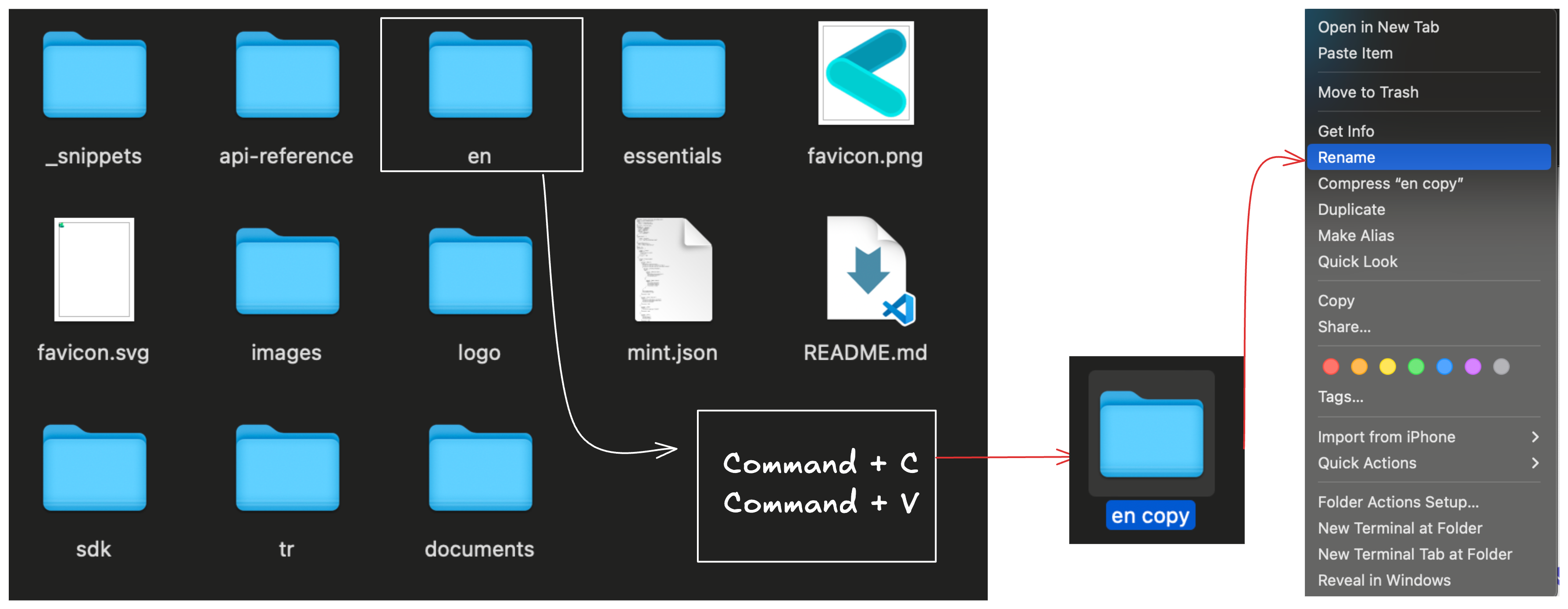 3. **Add Your Language to the JSON File**
Follow the navigation guides on [Mintlify](https://www.mintlify.com/docs/navigation) to add your language to the `docs.json` file.
4. **Add Your Language to Versions**
In the `docs.json` file, you'll see the code that defines the different versions of Clave Docs.
Add the short name of your language to the `versions` array to enable indexing for your translations.
5. **Open Your Language's File and Start Translating.**
If your PR is still a work in progress, consider putting it into a Draft status. Once your PR is ready for review, switch it back to an active PR request, and any reviewers already attached will automatically get a notification.
3. **Add Your Language to the JSON File**
Follow the navigation guides on [Mintlify](https://www.mintlify.com/docs/navigation) to add your language to the `docs.json` file.
4. **Add Your Language to Versions**
In the `docs.json` file, you'll see the code that defines the different versions of Clave Docs.
Add the short name of your language to the `versions` array to enable indexing for your translations.
5. **Open Your Language's File and Start Translating.**
If your PR is still a work in progress, consider putting it into a Draft status. Once your PR is ready for review, switch it back to an active PR request, and any reviewers already attached will automatically get a notification.