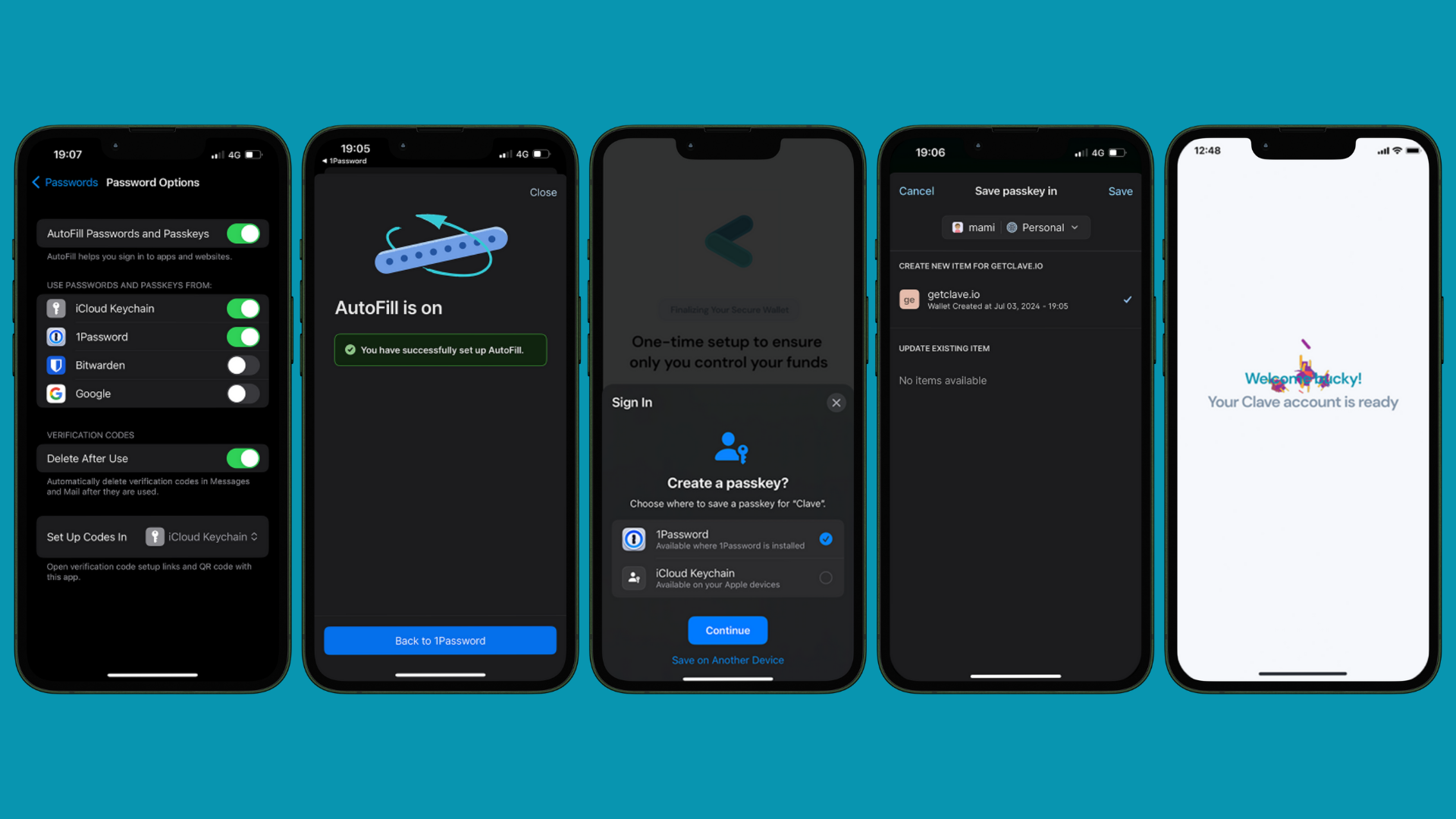

- If you are using an iOS device, go to Settings -> Autofill & Passwords -> Enable 1Password.
- If you are using an Android device, go to Settings -> Passwords -> Passwords, passkeys, and autofill -> Select 1Password.
- Then open the Clave app.
- Proceed with the registration process described in how to create account section
- You will see the “Create passkey” pop-up.
- Select 1Password as your passkey option.
- Click continue, and you created your Clave account!