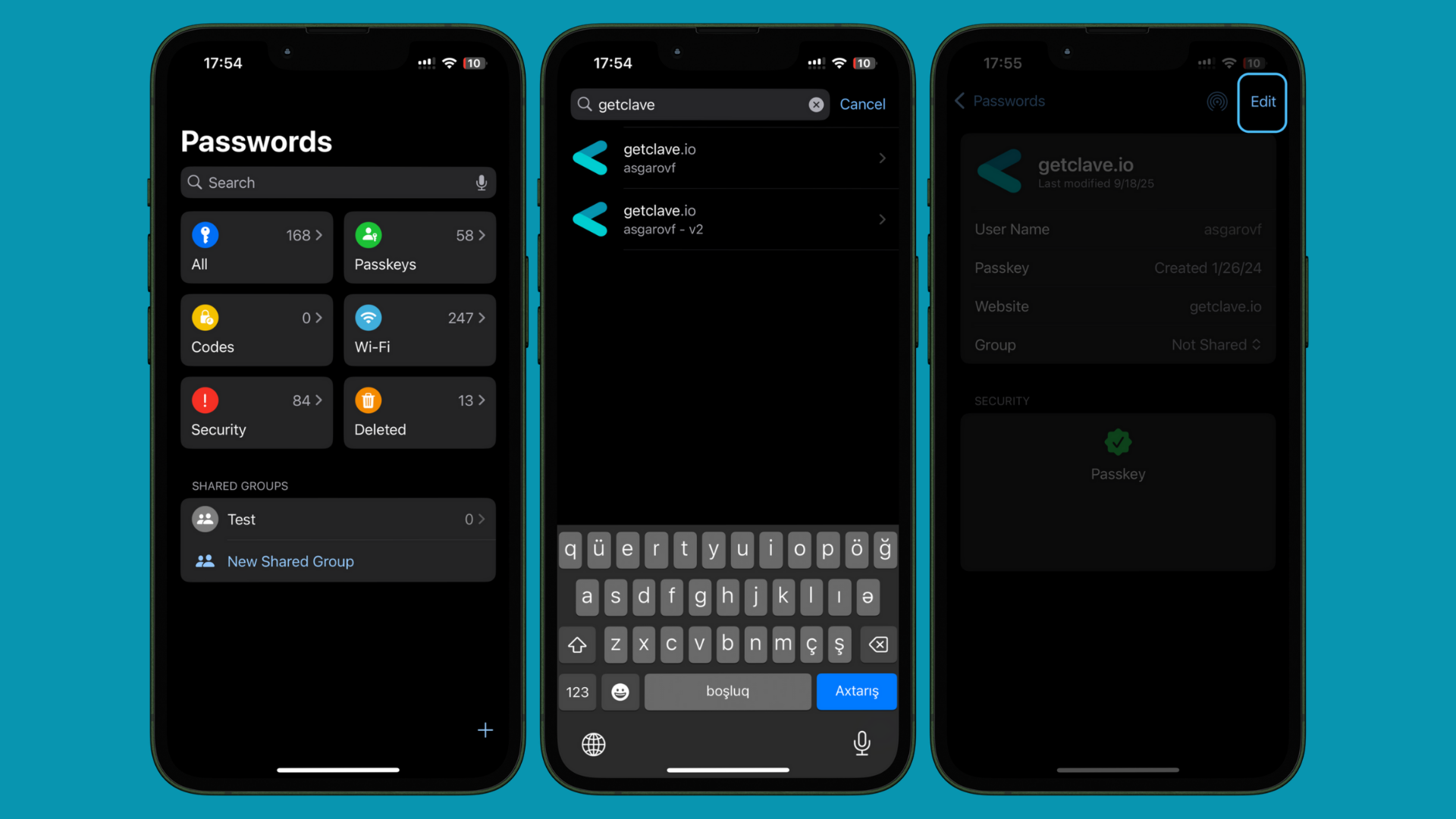

Renaming your Passkey in the Clave app is a straightforward process that allows you to customize and organize your credentials for easier access and management. Follow these steps to rename your Passkey:Documentation Index
Fetch the complete documentation index at: https://docs.getclave.com/llms.txt
Use this file to discover all available pages before exploring further.
- Open Passwords app on your iOS device.
- Search for your getclave.io passkeys.
- Tap on your getclave.io passkey you want to rename.
- Tap Edit in the upper right corner.
- Modify the User Name field to your preferred name (e.g., “My Main Wallet”).
- Tap Save to save your changes.